Ark APIs
ARK provides REST APIs for managing resources and executing queries. The APIs include both native ARK endpoints and OpenAI-compatible endpoints.
Interactive API Explorer
The easiest way to explore and test the APIs is through the built-in OpenAPI interface:
Start the dashboard with make dashboard or ark dashboard.
You can access the APIs using the ‘APIs’ link at bottom left of the dashboard screen:
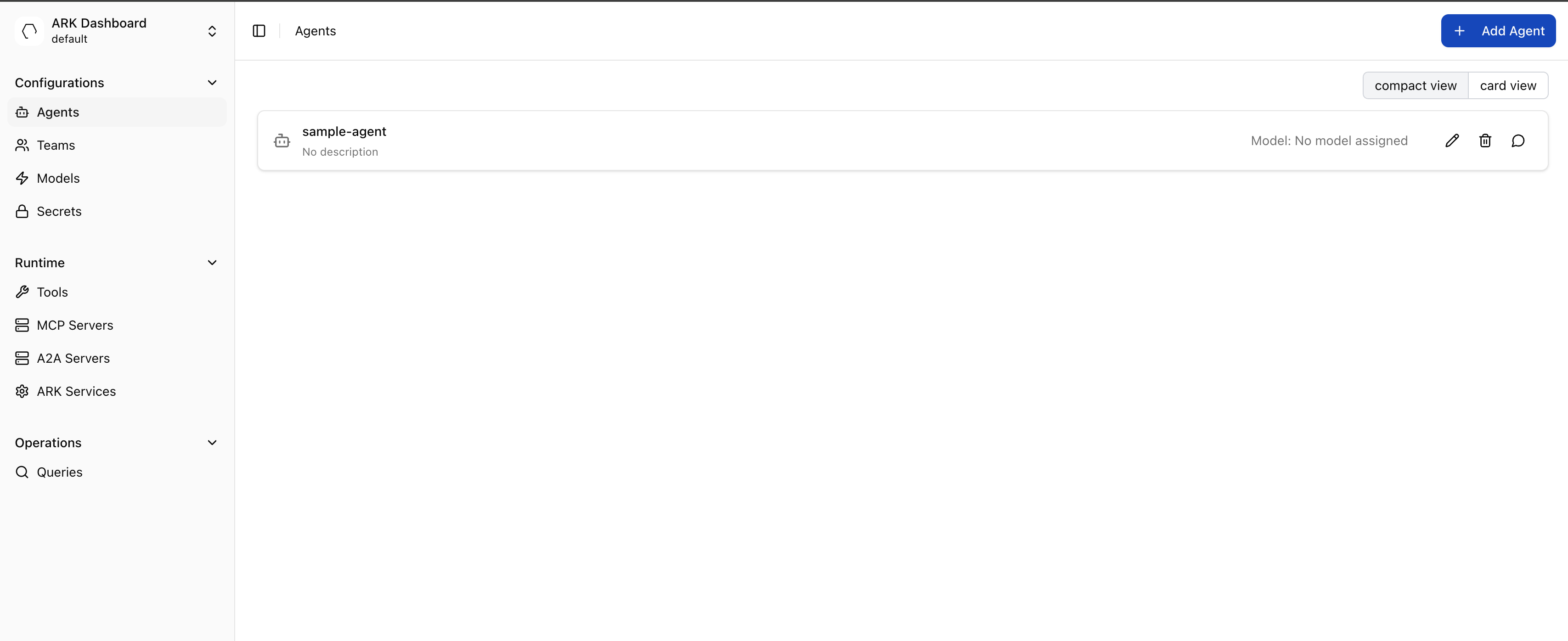
You can also check the routes that have been setup with make routes - you will see the API routes such as ark-api.default.127.0.0.1.nip.io:8000.
You can open the API docs directly and interact with them through the path: http://ark-api.default.127.0.0.1.nip.io:8080/docs
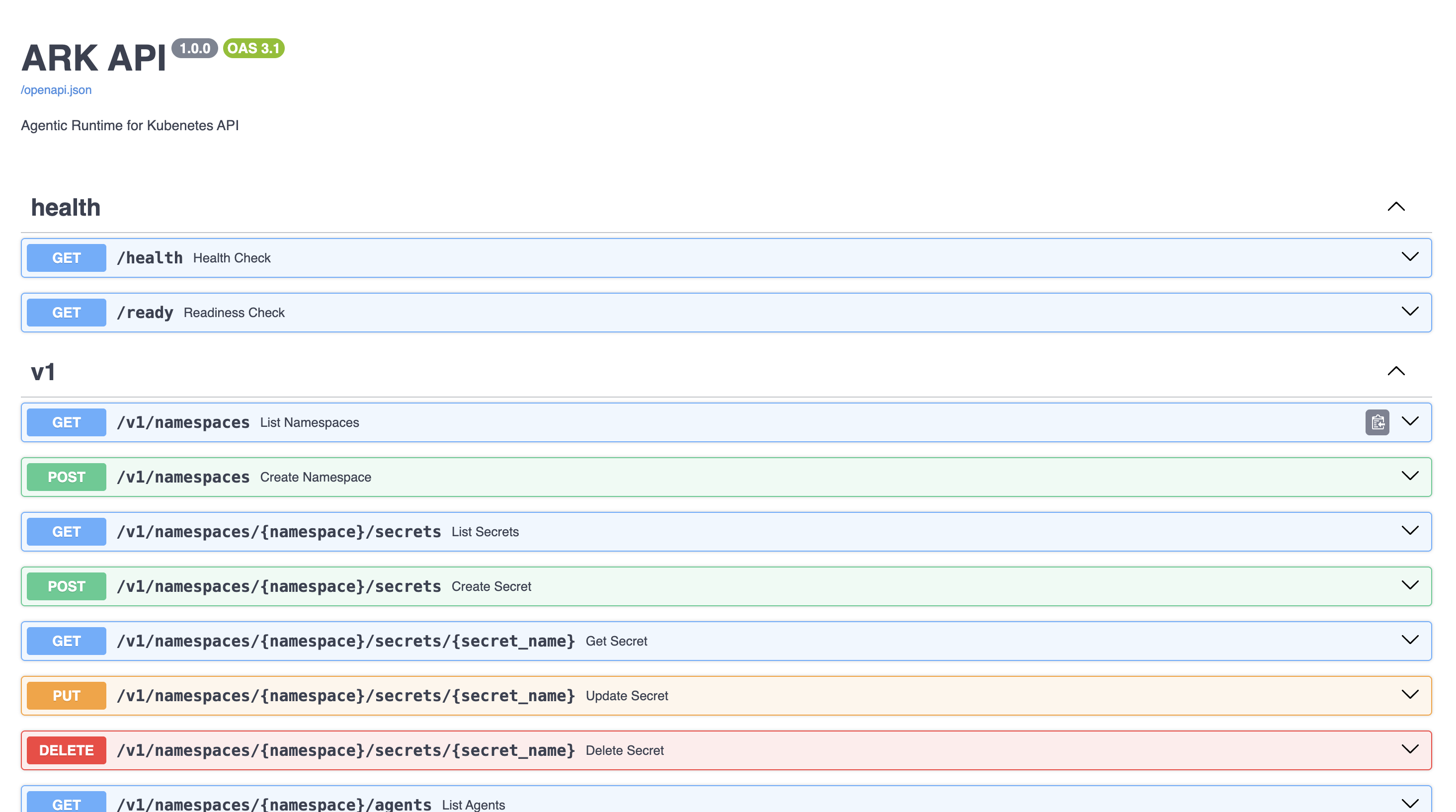
Authentication
ARK APIs support multiple authentication methods depending on the AUTH_MODE configuration:
- OIDC/JWT: For dashboard users (when
AUTH_MODE=ssoorAUTH_MODE=hybrid) - API Keys: For service-to-service communication (when
AUTH_MODE=basicorAUTH_MODE=hybrid) - No Authentication: For development environments (when
AUTH_MODE=open)
Using API Keys
For programmatic access, create API keys and use HTTP Basic Authentication:
# Create an API key (requires authentication)
curl -X POST http://localhost:8000/v1/api-keys \
  -H "Content-Type: application/json" \
  -d '{"name": "My Service Key"}'

# Use the API key for subsequent requests
curl -u "pk-ark-xxxxx:sk-ark-xxxxx" \
  http://localhost:8000/v1/namespaces/default/agents
See the Authentication Guide for complete configuration details.
Starting the APIs
# Development mode
make ark-api-dev

# Or using Docker
docker run -p 8000:8000 ark-api:latest
The APIs will be available at http://localhost:8000.
Browse the complete API documentation at http://localhost:8000/docs when the service is running.
Native ARK APIs
Standard REST APIs for managing ARK resources, for example:
- Agents:
/v1/namespaces/{namespace}/agents - Teams:
/v1/namespaces/{namespace}/teams - Queries:
/v1/namespaces/{namespace}/queries - Models:
/v1/namespaces/{namespace}/models - Evaluators:
/v1/namespaces/{namespace}/evaluators - Evaluations:
/v1/namespaces/{namespace}/evaluations - Secrets:
/v1/namespaces/{namespace}/secrets - API Keys:
/v1/api-keys(for service authentication) - Namespaces:
/v1/namespaces
Standard Kubernetes REST patterns are followed, such as POST to create, DELETE to delete.
Evaluators and Evaluations (v1)
- Base:
/v1 - Evaluators:
- GET/POST
/namespaces/{namespace}/evaluators - GET/PUT/PATCH/DELETE
/namespaces/{namespace}/evaluators/{name}
- GET/POST
- Evaluations:
- GET/POST
/namespaces/{namespace}/evaluations - GET/PUT/PATCH/DELETE
/namespaces/{namespace}/evaluations/{name} - PATCH
/namespaces/{namespace}/evaluations/{name}/cancel
- GET/POST
Examples:
List evaluators:
curl -s http://localhost:8000/v1/namespaces/default/evaluatorsCreate a direct evaluation (minimal):
curl -s -X POST http://localhost:8000/v1/namespaces/default/evaluations \
  -H "Content-Type: application/json" \
  -d '{
    "name": "direct-example",
    "type": "direct",
    "evaluator": {"name": "my-evaluator"},
    "config": {"input": "2+2?", "output": "4"}
  }'
For full request and response schemas, use the service OpenAPI UI at /docs when ark-api is running.
OpenAI-Compatible APIs
The openai/v1/ endpoint has been designed to mimic the OpenAI API Specification . This allows Ark resources to be accessed using standard OpenAI compliant tools and SDKs.
List Models API
The v1/models API lists all available query targets in Ark:
curl http://localhost:8000/openai/v1/modelsExample Response:
{
  "object": "list",
  "data": [
    {
      "id": "agent/aws-operator-agent",
      "created": 1760345001,
      "object": "model",
      "owned_by": "ark"
    },
    {
      "id": "team/coding-team",
      "created": 1761159225,
      "object": "model",
      "owned_by": "ark"
    },
    {
      "id": "model/gpt-4",
      "created": 1761137042,
      "object": "model",
      "owned_by": "ark"
    }
  ]
}
Returns all available agents, teams, models, and tools in the format <target_type>/<target_name>. Any of these targets can be queried.
When using OpenAI endpoints, specify targets with these prefixes:
agent/agent-name- Query an agentteam/team-name- Query a teammodel/model-name- Query a model directlytool/tool-name- Query a tool
Chat Completions
The v1/chat/completions API can be used to execute a query against a target:
curl -X POST http://localhost:8000/openai/v1/chat/completions \
  -H "Content-Type: application/json" \
  -d '{
    "model": "agent/my-agent",
    "messages": [{"role": "user", "content": "Hello"}]
  }'
Example response:
{
  "id": "openai-query-ce031d64",
  "object": "chat.completion",
  "created": 1761224998,
  "model": "agent/my-agent",
  "choices": [
    {
      "index": 0,
      "message": {
        "role": "assistant",
        "content": "Hello! How can I help you today?"
      },
      "finish_reason": "stop"
    }
  ],
  "usage": {
    "prompt_tokens": 10,
    "completion_tokens": 9,
    "total_tokens": 19
  }
}
Custom Metadata
ARK extends the OpenAI API with a metadata field to pass Kubernetes annotations to the underlying Query resource.
Use the queryAnnotations field with a JSON string containing annotation key-value pairs:
curl -X POST http://localhost:8000/openai/v1/chat/completions \
  -H "Content-Type: application/json" \
  -d '{
    "model": "agent/my-agent",
    "messages": [{"role": "user", "content": "Hello"}],
    "metadata": {
      "queryAnnotations": "{\"ark.mckinsey.com/a2a-context-id\": \"ctx-abc123\"}"
    }
  }'
The queryAnnotations value is parsed as JSON and applied as annotations to the Query resource. This format works with standard OpenAI SDKs since metadata fields accept string values.
See Streaming Responses for how metadata is returned in responses.
Response Metadata
Responses include an ark field with query metadata including status, token usage, and A2A context IDs:
Non-streaming
response = client.chat.completions.create(
    model='agent/my-agent',
    messages=[{'role': 'user', 'content': 'Hello'}],
)

print(response.choices[0].message.content)
# Access A2A context ID for multi-turn conversations
context_id = response.ark['completedQuery']['status']['a2a']['contextId']Ark Metadata Extensions
Ark extends the OpenAI API with optional metadata for passing annotations and retrieving query information:
{
  "model": "agent/my-agent",
  "messages": [{"role": "user", "content": "Hello"}],
  "stream": true,
  "metadata": {
    "user_id": "12345",
    "ark": "{\"annotations\": {\"ark.mckinsey.com/a2a-context-id\": \"abc-123\"}}"
  }
}
The ark field is a JSON string containing:
annotations: Custom Kubernetes annotations applied to the query
Example Response:
{
  "id": "openai-query-ce031d64",
  "object": "chat.completion",
  "model": "agent/my-agent",
  "choices": [...],
  "usage": {...},
  "ark": {
    "query_name": "openai-query-ce031d64",
    "annotations": {
      "ark.mckinsey.com/a2a-context-id": "abc-123",
      "ark.mckinsey.com/streaming-enabled": "true"
    }
  }
}
As per the OpenAI spec, additional fields can be included in the response. The field ark is used rather than metadata - as metadata is more likely to clash with other providers.
Using OpenAI SDKs
Standard OpenAI SDKs and tools can be used:
Python
from openai import OpenAI

client = OpenAI(
    api_key="not-needed",
    base_url="http://localhost:8000/openai/v1"
)

response = client.chat.completions.create(
    model="agent/my-agent",
    messages=[{"role": "user", "content": "Hello"}]
)

print(response.choices[0].message.content)