Observability
Comprehensive observability is crucial for production agentic workloads. ARK gives you observability at two levels:
- Built in to the dashboard — sessions, workflow runs, Kubernetes events, and a live broker stream, with no extra setup.
- OpenTelemetry export — ship traces to any OTLP backend (Langfuse, Phoenix, Opik, Jaeger, Honeycomb, …) for deeper analysis, cost/token tracking, and evaluation.
Monitoring in the dashboard
The dashboard’s Monitoring section gives you a view of what your agents are doing without installing anything. It has four views:
| View | What it shows |
|---|---|
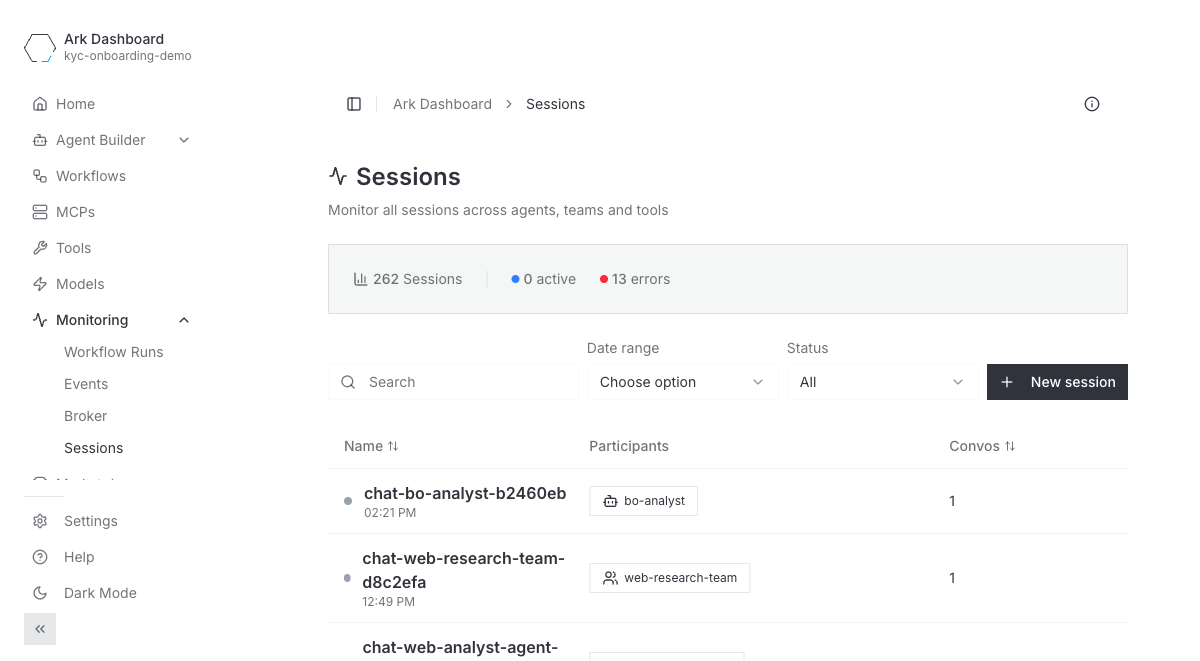
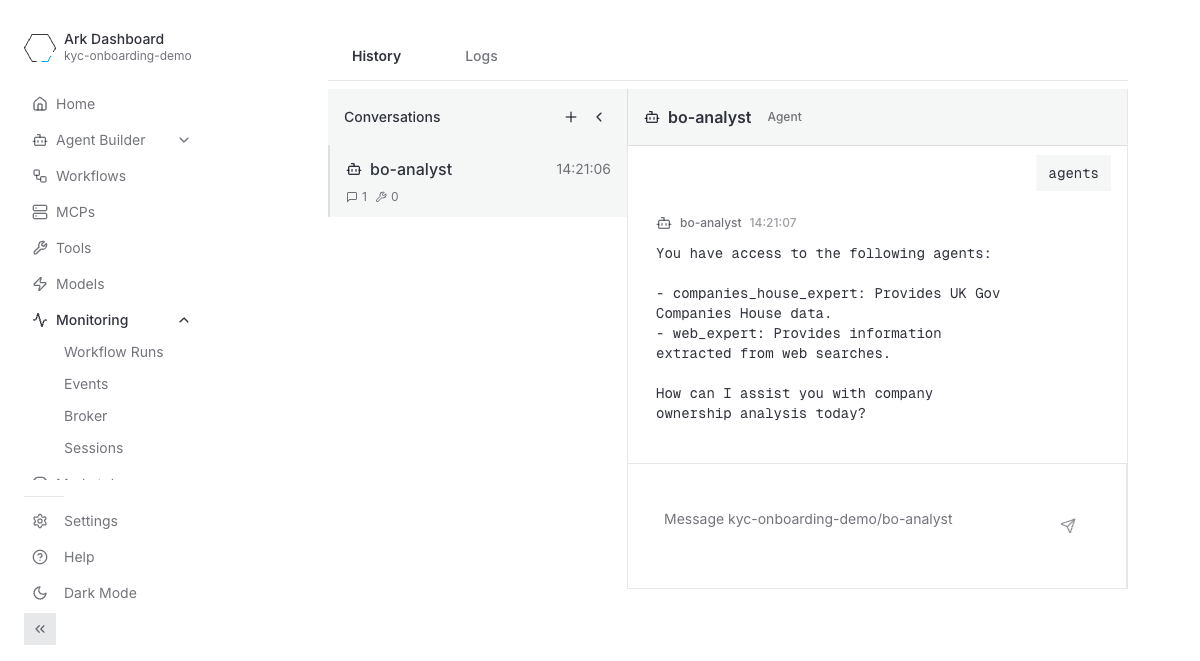
| Sessions | Every session across agents, teams, and tools, with active/error counts. Drill into a session to replay its conversations message by message. |
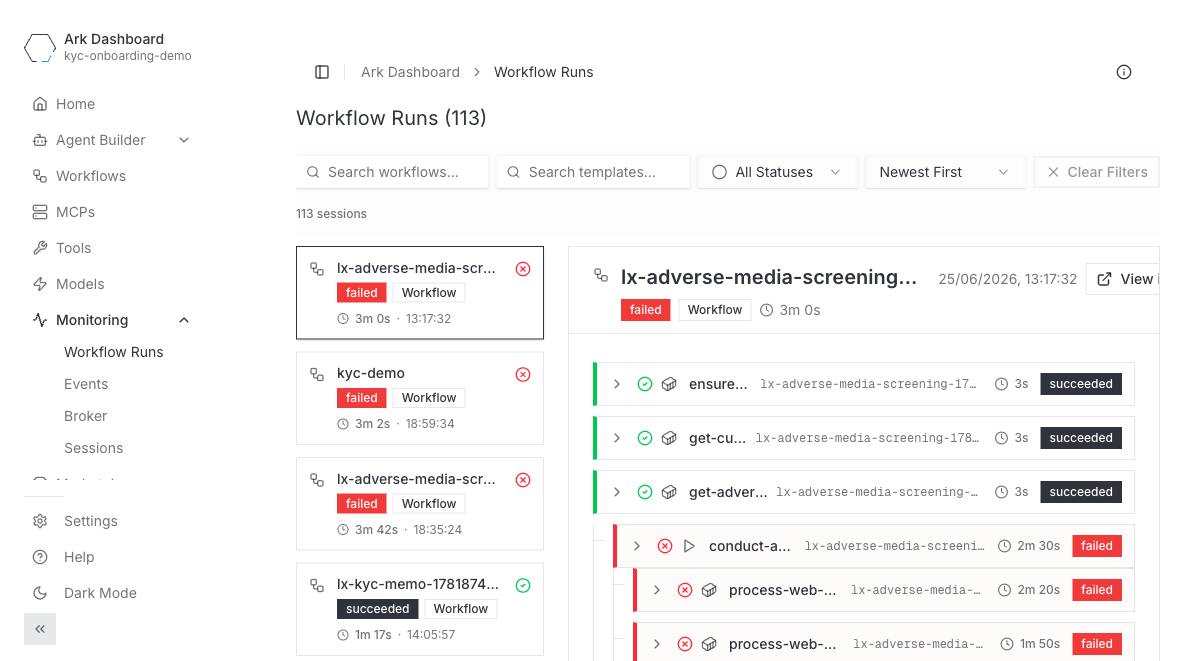
| Workflow Runs | Argo workflow executions with status and a per-step timing breakdown. |
| Events | Kubernetes events for ARK resources, filterable by type, kind, and name. |
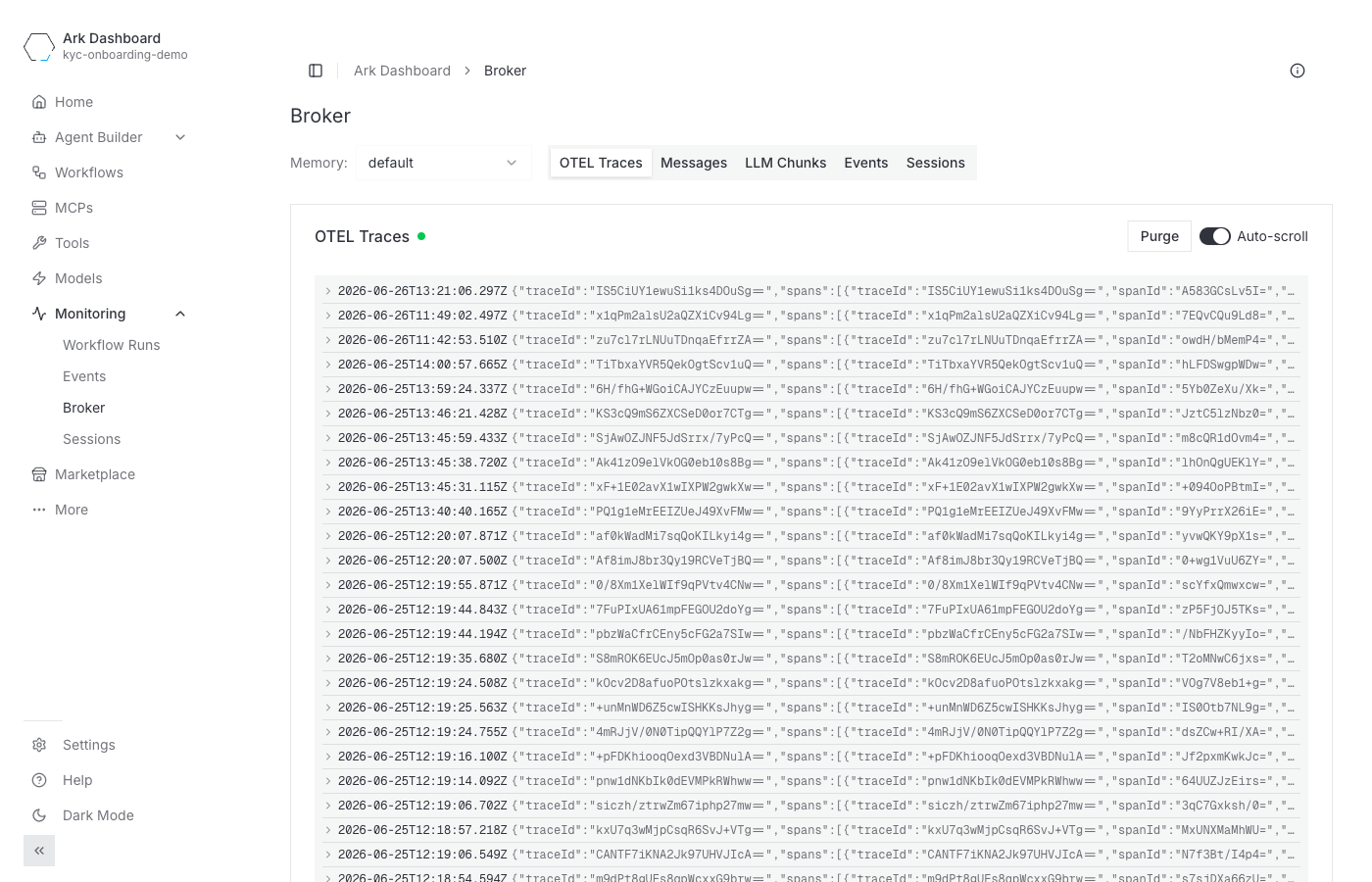
| Broker | A live stream of what ark-broker captures — OTEL traces, messages, LLM chunks, events, and sessions. |
The Sessions view lists every session and its participants:
Open a session to replay the conversation:
Workflow Runs shows each Argo run and its steps:
The Broker view streams traces, messages, and LLM chunks live — useful for debugging without any external backend:
OpenTelemetry Integration
ARK provides observability through OpenTelemetry integration, allowing you to monitor and trace all operations across the controller, execution engines and any other services. You can connect to any OpenTelemetry-compatible provider using standard environment variables.
Telemetry is enabled by setting the OpenTelemetry environment variables:
| Variable | Description | Example |
|---|---|---|
OTEL_EXPORTER_OTLP_ENDPOINT | OTLP endpoint URL | http://localhost:4318/v1/traces |
OTEL_EXPORTER_OTLP_HEADERS | Authentication headers | Authorization=Basic <token> |
OTEL_SERVICE_NAME | Service name for telemetry | ark-controller |
OTEL_RESOURCE_ATTRIBUTES | Additional resource attributes | environment=production |
Architecture
The controller creates a root trace span (query.<name>.dispatch) for every query execution. Trace context propagates via W3C traceparent headers across A2A boundaries to the completions engine and execution engines, producing a connected trace tree.
┌─────────────────────┐
│   ARK Controller    │
│ query.<name>.dispatch│──── traceparent ────► Completions Engine
│  (root span)        │                       query.<name>
└─────────┬───────────┘                         └─ agent/team/model
          │                                        └─ LLM calls, tools
          │
          └──── traceparent ────► Named Execution Engine
                                  (creates own child spans)

  OTEL Env Vars
┌─────────────────────────┐
│ Services, Engines, etc  ├─── → OTEL Endpoint
└─────────────────────────┘
Ark’s session ID propagates automatically via W3C baggage headers as ark.session.id, making it available across all services without manual header injection. The ark. prefix avoids collisions with executor-native session.id attributes.
Credential redaction in traces
Span attributes carry payload content — prompts, model messages, tool-call arguments, and query input/output. Before any span is exported, Ark redacts credentials at a single choke point (convertAttribute in the tracer), so every current and future span attribute is covered, upstream of all exporters (primary and per-tenant).
It uses the same two-pass redaction as the ark-api log filter (see the Logging Contract), driven by a shared pattern set and the same test vectors :
- Key-anchored —
access_token=…,client_secret=…,authorization: Bearer …(including the same keys inside JSON tool-call arguments) →[REDACTED]. - Shape-based — standalone tokens matching well-known formats (JWTs, OpenAI/Anthropic
sk-…, GitHubghp_…/github_pat_…, AWSAKIA…, GoogleAIza…, Slackxox…, Stripe…_live_…, PEMPRIVATE KEYblocks) →[REDACTED], even with no adjacent key.
Limitation: this is pattern-based, not full content classification. A secret matching neither a known key nor a known token format — an opaque/custom credential, or PII — is not detected. Content-level PII/DLP remains a deployment responsibility: mask in your observability backend before long-term storage.
Per-Tenant OTEL Routing
For multi-tenant deployments, Ark supports routing traces to tenant-specific OTEL endpoints. This enables:
- Tenant isolation - Each tenant’s traces go to their own observability backend
- Backend flexibility - Different tenants can use different OTEL backends (Langfuse, Phoenix, Opik, Jaeger, Honeycomb, etc.)
- Cost attribution - Observability costs can be attributed per tenant
- Compliance - Meet data residency or access control requirements
Enabling Per-Tenant Routing
Enable per-tenant OTEL discovery in your Helm values:
telemetry:
  tenantRouting:
    otelDiscovery: true
Tenant Configuration
Each tenant configures their OTEL endpoint by creating a Secret named otel-environment-variables in their namespace:
apiVersion: v1
kind: Secret
metadata:
  name: otel-environment-variables
  namespace: <tenant-namespace>
type: Opaque
stringData:
  OTEL_EXPORTER_OTLP_ENDPOINT: "https://otel-backend.example.com/v1/traces"
  OTEL_EXPORTER_OTLP_HEADERS: "Authorization=Bearer <token>"
The controller discovers these Secrets at startup and routes traces based on the query.namespace attribute.
Example Backend Configurations
Langfuse:
stringData:
  OTEL_EXPORTER_OTLP_ENDPOINT: "http://langfuse.svc:3000/api/public/otel"
  OTEL_EXPORTER_OTLP_HEADERS: "Authorization=Basic <base64(pk:sk)>"
Phoenix (Arize):
stringData:
  OTEL_EXPORTER_OTLP_ENDPOINT: "https://app.phoenix.arize.com/v1/traces"
  OTEL_EXPORTER_OTLP_HEADERS: "api_key=<phoenix_api_key>"
Opik:
stringData:
  OTEL_EXPORTER_OTLP_ENDPOINT: "https://www.comet.com/opik/api/v1/private/otel"
  OTEL_EXPORTER_OTLP_HEADERS: "Authorization=<opik_api_key>,Comet-Workspace=<workspace_name>,projectName=<project_name>"
Honeycomb:
stringData:
  OTEL_EXPORTER_OTLP_ENDPOINT: "https://api.honeycomb.io/v1/traces"
  OTEL_EXPORTER_OTLP_HEADERS: "x-honeycomb-team=<api_key>"
Jaeger:
stringData:
  OTEL_EXPORTER_OTLP_ENDPOINT: "http://jaeger-collector.svc:4318/v1/traces"
Architecture with Per-Tenant Routing
When per-tenant OTEL routing is enabled, traces are routed based on the query’s namespace:
                      ARK Controller
                            │
              ┌─────────────┼─────────────┐
              │             │             │
              ▼             ▼             ▼
        Primary OTEL   Tenant-A OTEL  Tenant-B OTEL
        (platform)     (Langfuse)     (Opik)
Applying Changes
After creating or updating tenant OTEL Secrets, restart the controller to pick up new configurations:
kubectl rollout restart deployment/ark-controller -n ark-system
kubectl rollout status deployment/ark-controller -n ark-system --timeout=120s
Automatic Injection of OTEL Configuration
One way to set up automatic OpenTelemetry configuration is through standardized ConfigMap and Secret references. This pattern allows any Kubernetes resource to automatically pick up OTEL environment variables when available:
apiVersion: apps/v1
kind: Deployment
spec:
  template:
    spec:
      containers:
      - name: your-app
        envFrom:
        # Standard OTEL configuration - will be injected if available
        - configMapRef:
            name: otel-environment-variables
            optional: true
        - secretRef:
            name: otel-environment-variables
            optional: true
When you create or update the standardized otel-environment-variables ConfigMap and Secret, all deployments and pods that reference them must be restarted to pick up the new environment variables:
# Restart components to pick up changes
kubectl rollout restart deployment/ark-controller -n ark-system
Service Name Configuration
You can optionally set the service name used for telemetry in your containers, using the OTEL_SERVICE_NAME variable:
spec:
  template:
    spec:
      containers:
      - name: your-app
        env:
        - name: OTEL_SERVICE_NAME
          value: "my-custom-service"
Additional OTEL Variables
These OpenTelemetry environment variables are also supported:
| Variable | Description | Example |
|---|---|---|
OTEL_RESOURCE_ATTRIBUTES | Additional resource attributes | environment=production,version=1.0 |
OTEL_EXPORTER_OTLP_TIMEOUT | Request timeout in milliseconds | 30000 |
OTEL_PROPAGATORS | Trace context propagation format | tracecontext,baggage |
OTEL_TRACES_SAMPLER | Sampling strategy | always_on, always_off, traceidratio |
OTEL_TRACES_SAMPLER_ARG | Sampler configuration | 0.1 (for 10% sampling) |
Next: Learn about observability options:
- Phoenix Service - AI/ML model observability
- Langfuse Service - Open Source LLM Application/Agent observability, evaluation, and prompt management
- Opik - Open-source platform for LLM observability, evaluation, and prompt optimization