Phoenix Service
Phoenix is an open-source AI/ML observability platform. It’s available from the ARK Marketplace , and installing it wires ARK’s OpenTelemetry export to Phoenix automatically — every query then shows up as a trace.
One backend per namespace: Phoenix and Langfuse both manage the
otel-environment-variablesSecret that points ARK at a backend, so install one of them per namespace (Helm rejects the second install with an ownership conflict on that Secret). To run more than one backend, use per-tenant OTEL routing. The marketplace repo is the source of truth for install — these steps were verified against it.
Install
Install with Helm from the marketplace repo (clone agents-at-scale-marketplace first):
cd services/phoenix
helm dependency update chart/
helm install phoenix ./chart -n phoenix --create-namespace
devspace deploy works too and restarts the controller for you. Installing Phoenix creates an otel-environment-variables Secret in the ark-system and default namespaces pointing at Phoenix:
OTEL_EXPORTER_OTLP_ENDPOINT = http://phoenix-svc.phoenix.svc.cluster.local:6006
OTEL_EXPORTER_OTLP_PROTOCOL = http/protobuf
With Helm, restart the components that emit spans so they pick up the new Secret (DevSpace does this automatically):
kubectl rollout restart deployment/ark-controller -n ark-system
kubectl rollout restart deployment/ark-completions -n ark-system
View traces
Port-forward the Phoenix UI and run a query:
kubectl port-forward -n phoenix svc/phoenix-svc 6006:6006
# open http://localhost:6006

ark query agent/my-agent "hello"
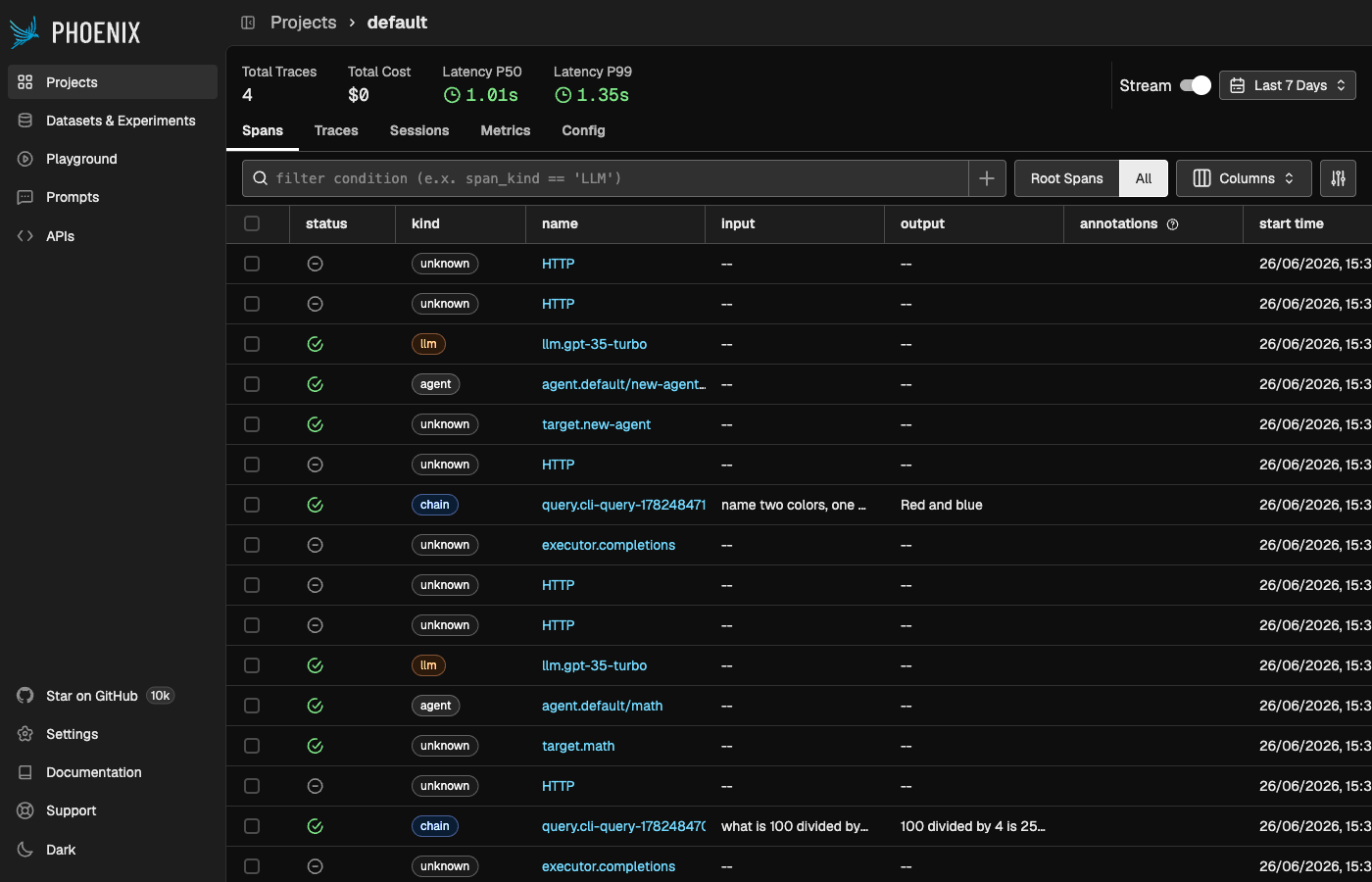
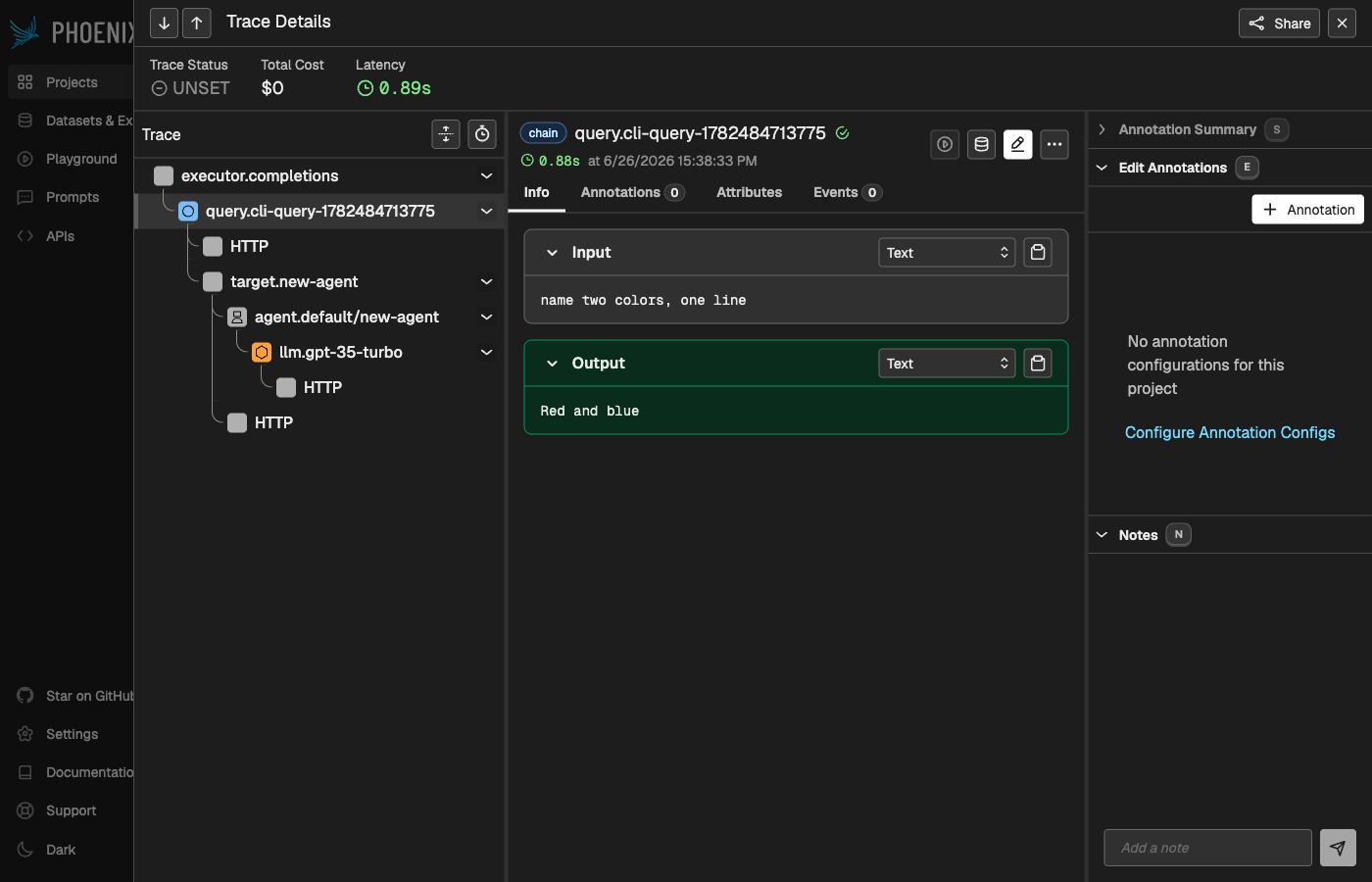
The query appears under the default project. ARK’s spans form a tree — executor.completions → query.<name> → target → agent → llm.<model> — each with its input and output:
Open a trace to see the full waterfall with inputs and outputs:
Reference
- Phoenix on the ARK Marketplace — canonical install and configuration.
- OpenTelemetry integration — how ARK exports traces.
Next: Langfuse Service